
标志液化
Create a photograph of a [BRAN...
 风格匹配的极简“hello”眩光文字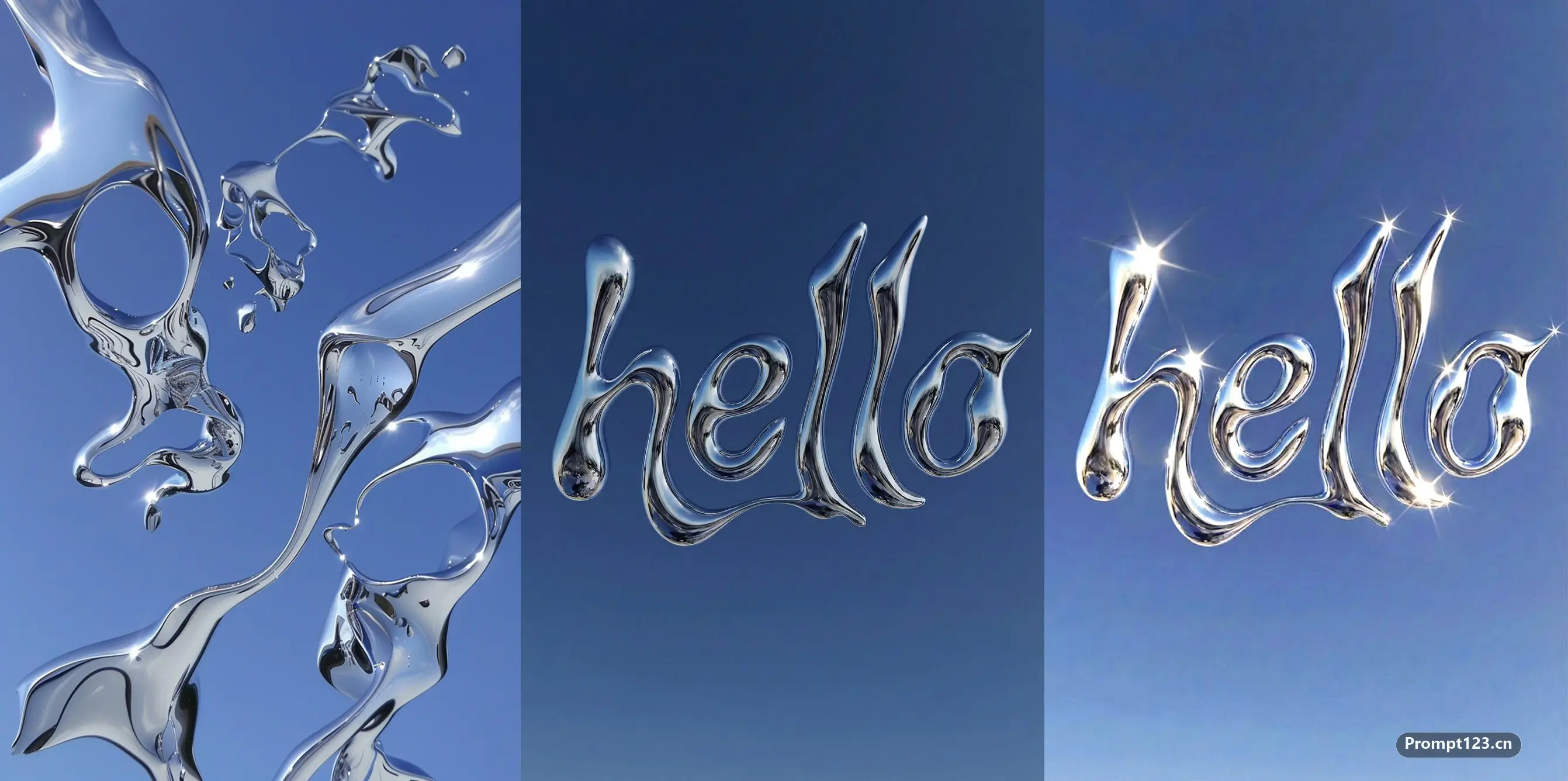
Step 1: Generated the style reference in Midjourney.
Step 2: Nano Banana Pro (in Gemini): “Write ‘hello’ in the attached reference style.”
Step 3: Nano Banana Pro (in Gemini). Uploaded both images — the reference from Step 1 and the result from Step 2 — and asked: “Adjust the lighting on the first image with the ‘hello’ word, add glares, match the style of the second image more. Keep it minimalist and clean.”
Step 4: Colors still too dark. Open both images from Steps 1 and 3 in Photoshop.
Menu: Image → Adjustments → Match Color (choose the reference image).
Step 1: Generated the style reference in Midjourney.
Step 2: Nano Banana Pro (in Gemini): “Write ‘hello’ in the attached reference style.”
Step 3: Nano Banana Pro (in Gemini). Uploaded both images — the reference from Step 1 and the result from Step 2 — and asked: “Adjust the lighting on the first image with the ‘hello’ word, add glares, match the style of the second image more. Keep it minimalist and clean.”
Step 4: Colors still too dark. Open both images from Steps 1 and 3 in Photoshop.
Menu: Image → Adjustments → Match Color (choose the reference image).